
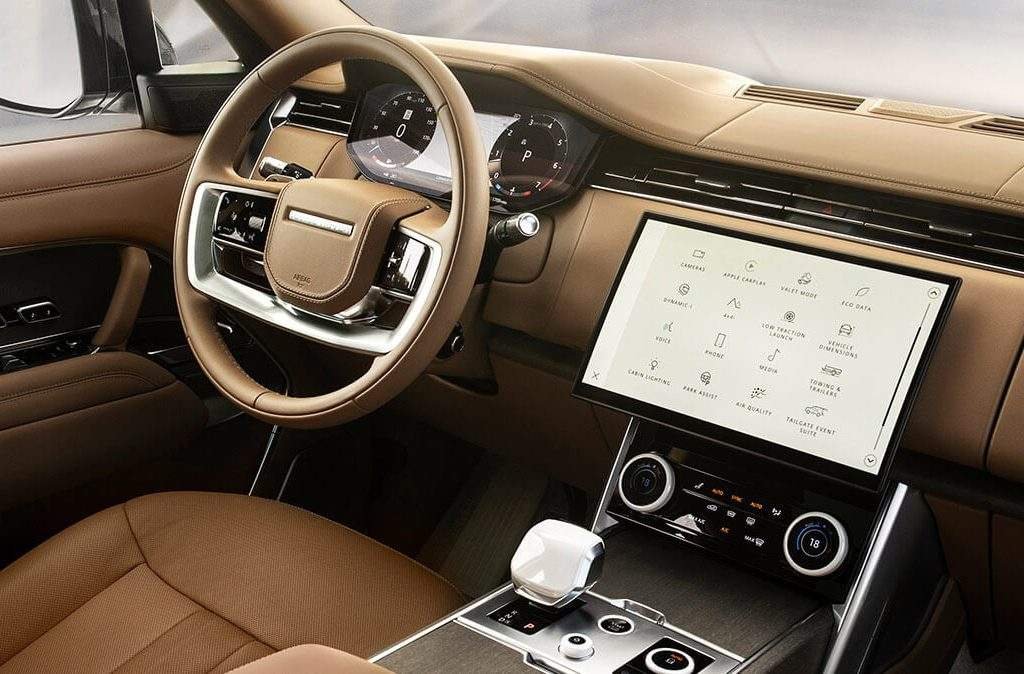
A missing Range Rover feature is not automatically a hidden setting. First confirm that your exact vehicle has the required hardware, software and market support. Then follow its handbook instructions. This applies to the full-size Range Rover, Range Rover Sport, Velar and Evoque. Similar screens and trim badges do not guarantee the same equipment.
This checklist helps you decide whether to change a normal setting, resolve an account or subscription issue, investigate a fault, or accept that an option is not fitted. Complete screen setup while safely parked. Do not experiment with driver-assistance systems in traffic.
If steering becomes unexpectedly heavy, pulls strongly, or behaves unpredictably, stop safely and arrange assessment or recovery. Do not assume lane assistance explains it. A parking warning, failed camera or missing sensor alert also needs attention before relying on that system.
Confirm your model, model year and options first
Start with the vehicle identity, not a video showing someone else's dashboard. A first registration date can differ from the manufacturer's model year. An imported vehicle can also have different connected-service support from a UAE-supplied car with the same badge.
Use Land Rover iGuide with your VIN privately. The manufacturer explains that general model and year selection can show optional equipment absent from the car. If the handbook describes a feature, that alone does not prove it was installed. Cross-check the original equipment record and the actual vehicle.
| Vehicle detail | What to record | Why it changes the answer |
|---|---|---|
| Full-size Range Rover | Model year, generation, wheelbase, seating layout and option record. | A rear entertainment display and an Executive Class rear controller serve different functions. |
| Range Rover Sport | Model year, generation, driver-assistance pack and infotainment system. | A feature demonstrated on the full-size model may not apply to the Sport. |
| Range Rover Velar | Model year, screen layout, infotainment identity and fitted audio system. | Appearance alone does not establish connected apps or noise-cancellation equipment. |
| Range Rover Evoque | Model year, generation, parking options and original sales market. | Parking sensors, cameras and automated parking must be confirmed separately. |
| Any imported vehicle | Original market, account transfer status and UAE service eligibility. | Hardware can be present while a connected service is unsupported or unavailable to that account. |
Identify whether the vehicle uses Touch, Touch Pro, Touch Pro Duo, Pivi or Pivi Pro before selecting instructions. Ask the retailer to resolve conflicting records. An aftermarket screen or retrofit needs its own documentation; factory instructions may not describe how the added equipment works.
Choose the right next step for a missing feature
Write down whether the function never worked, disappeared after a change, works intermittently, or displays a specific warning. These are different problems. “Not available” is a status to investigate, not a diagnosis of a failed module or proof that activation is needed.
| What you find | Likely decision path | Safe next step |
|---|---|---|
| The option record does not list the feature | Confirm fitment before discussing a retrofit. | Request the exact equipment requirement. Do not buy coding on a promise that every car already has the hardware. |
| The feature is fitted and its normal control is off | Handbook setup may be enough. | Read the operating limits and change only the documented owner setting while parked. |
| The screen asks for sign-in or renewal | Check account, subscription and market eligibility. | Use the official account route. Confirm the service before purchasing a subscription. |
| It previously worked but now warns or fails | Investigate the fault and recent changes. | Record the warning and conditions. Avoid repeated resets that erase useful evidence. |
| It works with one phone or media source only | Compare device, connection and source behavior. | Try a known compatible alternative while parked before assuming the vehicle module is defective. |
A useful result is a clear reason for the next action. “Activated successfully” is not enough if the original complaint remains or a safety warning returns.
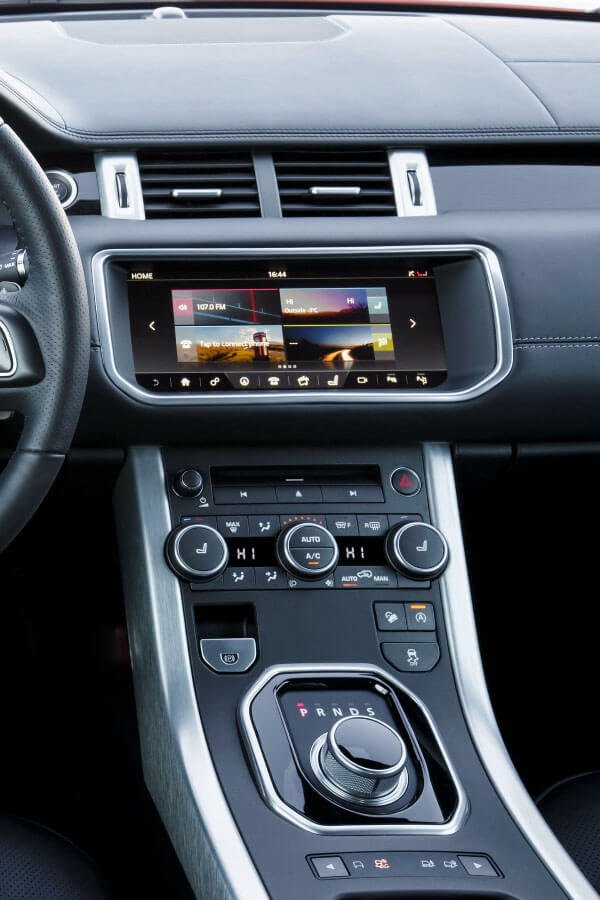
Separate lane-keeping from steering assistance
Land Rover's driver-assistance specifications distinguish optional systems and vehicle-dependent packages. Lane Keep Assist responds to detected unintended lane departure with corrective steering input. It should not be described as continuous lane centering.
Adaptive Cruise Control manages speed and following distance within its operating conditions. Where specifically fitted, Steering Assist adds lane-position support. Having cruise control, a windshield camera or Lane Keep Assist does not prove the vehicle has that additional function. Check the exact system name, indicators and instructions.
- Lane departure warning: an alert is different from a system that applies steering assistance.
- Lane Keep Assist: corrective intervention is different from sustained lane-position support.
- Adaptive Cruise Control with Steering Assist: requires its own confirmed specification and operating instructions.
- Blind-spot warning and Blind Spot Assist: a mirror warning alone does not prove steering intervention is included.
The driver must monitor the road and remain ready to steer and brake. Do not deliberately drift, approach an obstacle or release control to test a feature. If an alert appears, follow the handbook. Persistent steering changes, vibration, pulling or loss of assistance require fault assessment even if a driver-assistance setting is enabled.
Parking sensors, cameras and Remote Park Assist are different
Parking sensors provide proximity information. Cameras provide views. Park Assist can assist with a parking maneuver, with the driver's responsibilities depending on the version. Remote Park Assist is a separate capability for specified vehicles that allows supervised maneuvering from outside using a compatible device. None of these descriptions makes every Range Rover capable of all four.
Before attempting any automated maneuver, confirm the fitted system and the applicable handbook procedure. For Remote Park Assist, also confirm current UAE availability, the official app, compatible phone and any account requirements with the retailer. An overseas demonstration or an app-store listing does not establish eligibility for your vehicle.
Do not use Remote Park Assist activation as an explanation for failed parking sensors. If a camera image is blank, alerts are missing or the system reports a fault, stop relying on that aid. Observe the surroundings directly and do not continue a maneuver when you cannot judge clearance safely.
While parked, note whether the problem affects one sensor area, one camera view or the whole system. Look for visible dirt or obstruction and follow the handbook's cleaning guidance. Record recent bumper, mirror or windshield work. The technician may need to assess wiring, alignment, calibration or communication, depending on the system. A reset alone does not establish a repair.
Check UAE support for Alexa and connected apps
Built-in voice commands, your phone's assistant, Alexa in the vehicle and the Land Rover Remote Skill are separate services. One working successfully does not establish that the others are supported.
Land Rover's Alexa setup instructions require a compatible Pivi Pro vehicle, an internet connection and linked accounts, with market-dependent availability. The UAE Range Rover Sport specifications also limit Alexa and Remote Skills to specific markets. Those statements do not confirm support for every vehicle used in Dubai.
Ask for a current eligibility check for your VIN, original market and account region. Confirm the supported language, service package and account-linking method before paying for help. If eligibility is not confirmed, do not treat repeated sign-in attempts or changing the account region as a solution.
The UAE Pivi support explains that compatible Live Apps may require an active Online Pack and linked third-party accounts. Check the apps actually offered in your vehicle. Do not assume Spotify, Audible or a video service is a native app on every infotainment generation.
Apple CarPlay and Android Auto display supported phone functions through compatible vehicle interfaces. They are different from native vehicle apps. Confirm whether your installation supports a wired connection, wireless connection or neither. Wireless charging is a separate function. The presence of a charging pad does not prove wireless CarPlay support.
Set up the screen and phone without masking a fault
Useful personalization can include supported shortcuts, favorite stations, display preferences and audio balance. Change one setting at a time so you can tell what helped. Save important preferences before a documented reset, and understand which personal information or pairings it will remove.
- Record the infotainment system and software version before following instructions.
- Check phone compatibility and the phone's permissions for the connection being used.
- For a wired connection, confirm the correct data-capable port and use a suitable undamaged cable.
- Compare local audio, radio and phone playback to see whether the complaint is source-specific.
- Note whether disconnections occur only with one phone, one app, poor coverage or a hot device.
A cluttered screen does not prove the cause of slow operation. Repeated freezing, restarting, blank displays or persistent connection failures can require diagnosis. Avoid an unsupported firmware installation or factory reset as the first response to every complaint.
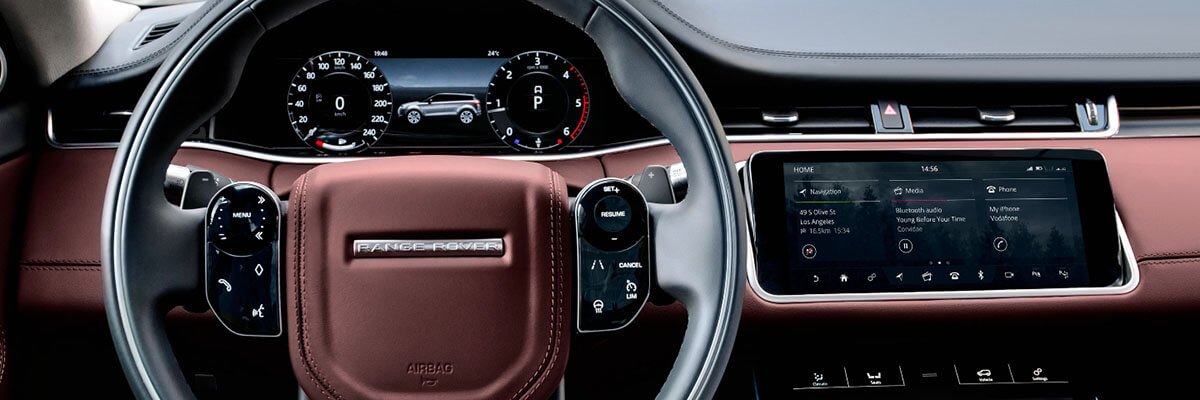
Understand what a software update can change
Land Rover's software-update instructions separate update routes by infotainment system. Follow the instructions and release notes for the update offered to your vehicle. Network, vehicle-state and consent requirements can differ; a universal “connect Wi-Fi and it happens automatically” instruction is inadequate.
Allow the stated installation time and follow the displayed parking, locking, battery and vehicle-use conditions. Do not interrupt an installation or disconnect the battery to force completion. If an update fails, record the message and obtain the appropriate support rather than repeatedly trying unrelated procedures.
An update can address a documented software issue. It does not add absent sensors, speakers, seats or headlight hardware. It also does not prove that every fault has been corrected. Confirm the original symptom after any approved work and check whether warnings return. Ask the retailer separately about applicable campaigns.
Confirm headlight and projection equipment
Standard LED, Pixel LED and Digital LED descriptions should not be used interchangeably. The UAE Range Rover equipment specifications list Digital LED headlights with Image Projection on particular configurations. Confirm the original lamp specification on your car before looking for corresponding controls.
JLR's full-size Range Rover launch description refers to projection at startup and separately describes navigation-informed bending light. It does not establish that every Range Rover projects turn-by-turn navigation arrows or road warnings.
Follow the correct handbook for automatic lighting conditions and any owner controls. Do not change market coding or beam behavior based on a social-media tutorial. Uneven brightness, flickering, a lamp warning or a failed daytime running light deserves inspection. Software is only one possible explanation. Avoid night driving when the available lighting is inadequate for safe visibility.
Check Meridian audio and noise cancellation separately
Range Rover's UAE equipment specifications describe Active Noise Cancellation on specified equipment. That does not establish a universal owner-operated on/off switch. Use the handbook for the exact audio and seating configuration. If it does not document such a control, do not assume a missing menu means the system needs activation.
Noise cancellation is different from bass, treble, balance, fader or listening-mode adjustments. Normal audio preferences can improve the listening experience, but they do not repair a failed speaker or amplifier. Test at moderate volume while parked and compare sources. Persistent distortion, crackling, missing channels or unexpectedly loud noises require assessment.
New road noise also deserves attention outside the audio menu. Record whether it changes with speed, road surface or turning, and whether there is vibration. Do not increase music volume to cover it or assume a noise-cancellation setting explains a mechanical concern.
Rear comfort and wireless charging need fitted equipment
Rear entertainment screens are different from a rear comfort controller. The latter may operate fitted seat or climate functions, depending on the specification. A screen cannot create massage, ventilation or additional climate zones in a vehicle that lacks the necessary hardware.
Check the seating configuration and the documented rear-control lock or synchronization settings, where provided. Keep hands and objects clear of moving seats. If a fitted seat stops responding, moves unexpectedly, or cooling remains poor despite suitable settings, record the behavior for diagnosis.
For wireless charging, confirm that the pad and phone are compatible and follow their placement instructions. Check for objects, accessories or a case that interferes with charging. If the phone or pad becomes unusually hot, stop charging and follow the device and vehicle guidance. Do not dismantle the pad or assume persistent charging failure is only a setup issue.
Decide whether setup help is worth paying for
You may be able to complete documented preferences and account linking yourself. Retailer support may be the right route for ownership transfer, service eligibility or an applicable campaign. A paid assessment becomes useful when fitment is unclear, a fault persists, or the proposed work needs a technical compatibility decision.
Before approving work, request the specific scope:
- Which feature is confirmed fitted, and what record supports that conclusion?
- Is the task an owner setting, account issue, software update, calibration, repair or retrofit?
- What will be checked before parts or coding are proposed?
- What are the fee, tax treatment, exclusions and any separate subscription charges?
- How will the original complaint be checked afterward, and what remains unresolved?
Do not buy a blanket “unlock all features” package without those answers. A retrofit needs a separate assessment of hardware, software compatibility, installation and applicable requirements. No universal warranty outcome should be promised.
The useful outcome is knowing what your vehicle has, what works, and what needs further attention. Confirm fitment first, use the matching handbook, and treat persistent warnings or abnormal behavior as a separate diagnostic question.
Range Rover feature setup FAQs
Does a menu icon prove the feature is fitted?
No. A shared menu, general handbook or similar vehicle can show functions unavailable on your specification. Match the option record, fitted equipment and current service eligibility before relying on it.
Can coding add every missing feature?
No. Some functions need additional hardware or market support. Ask for the specific compatibility assessment and installation requirements. Coding should not be sold as a universal substitute for missing equipment.
Should I change the country setting to unlock an app?
Confirm legitimate support for the vehicle and account first. A changed setting does not establish service eligibility and can create mismatched account or navigation behavior. Use the official support route for an imported vehicle.
Can I rely on parking sensors if the camera still works?
A working camera does not confirm working sensors. Treat each warning and function separately. Check clearance directly and stop the maneuver if visibility or distance judgment is inadequate.
What should I do before selling a connected Range Rover?
Use the official ownership-transfer instructions to remove the vehicle from your account and delete personal profiles and pairings as directed. Confirm the process with the buyer or retailer. Do not give the next owner your account password.
Should I reset everything before an inspection?
Record the problem first. Repeated resets can hide a useful pattern and remove preferences without fixing the cause. Ask whether a documented reset is appropriate for the actual symptom.
What information helps with a setup question?
Provide the model, model year, original market, screen photo, exact feature name and warning text. Explain whether it ever worked and what changed. Share any VIN privately through an agreed channel, and keep passwords and verification codes to yourself.
Get help with your Range Rover feature setup
For setup questions or persistent infotainment problems, contact Range Rover Specialist in Al Quoz 4, Dubai. Share the vehicle details, feature name and symptom. Confirm the assessment scope before booking; some account or market-support questions need the authorized retailer.